Fonts
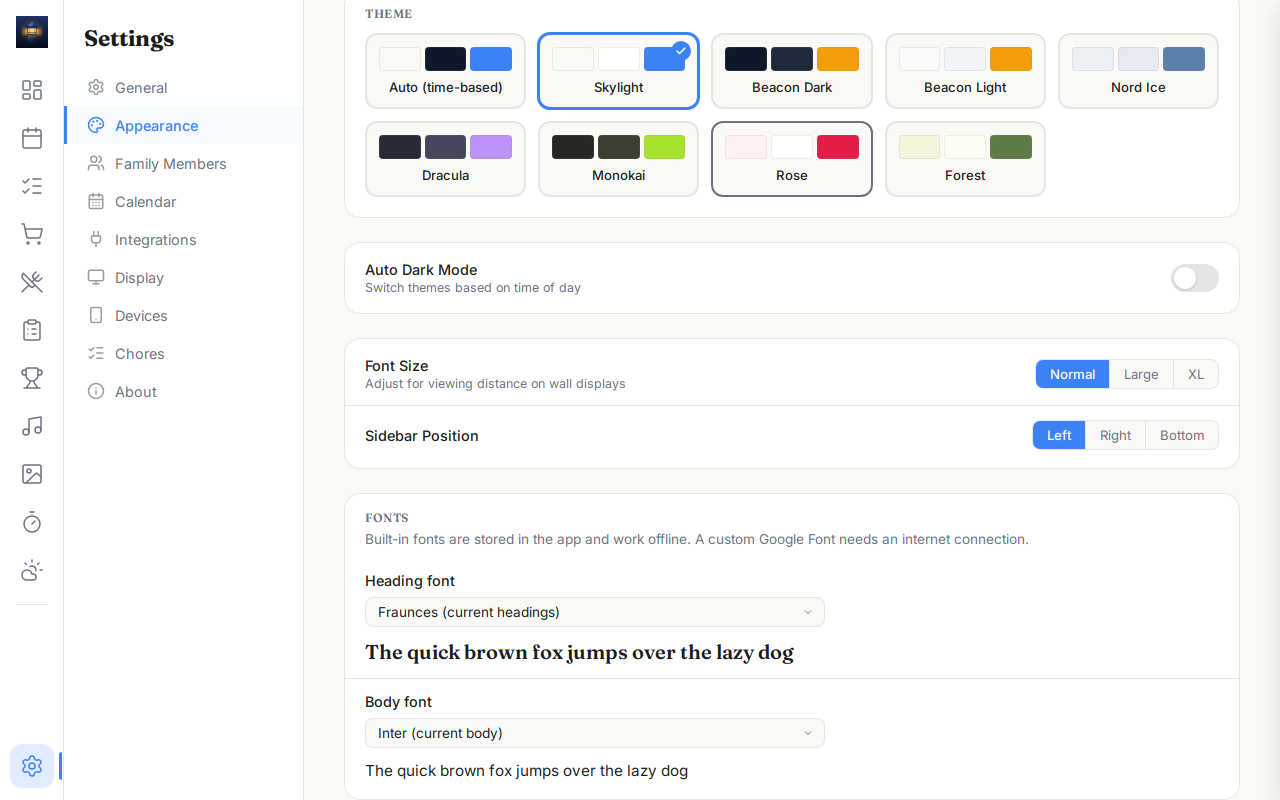
Beacon can use different typefaces for headings and for body text. Change them in Settings → Appearance → Fonts. The choice is saved with the rest of your settings and applies everywhere the display uses the heading or body font tokens.
Built-in faces are stored in the app. They work offline and through Home Assistant ingress, with no request to a font CDN. A Google Font is downloaded when you ask for it, so that option needs an internet connection.
Built-in fonts
| Choice | Where it shows up |
|---|---|
| System default | The device’s own UI font |
| Fraunces | Beacon’s original heading font |
| Inter | Beacon’s original body font |
| Atkinson Hyperlegible | Dyslexia-friendly |
| Lexend | Wide, easy to read |
| Nunito | Rounded, kid-friendly |
| Source Sans 3 | Neutral reading face |
| Literata | Readable serif |
Heading and body are chosen separately. The defaults are Fraunces for headings and Inter for body, which is how Beacon looks before you change anything.
Each built-in face is a Latin subset in WOFF2. Beacon loads a face only after you select it, so the first screen does not download every family.
Custom fonts
Google Fonts
Pick Google Fonts… and type the family name, such as Roboto or Source Serif 4. Beacon loads that family from Google Fonts. The settings screen says this needs internet. If the display is offline, or Google Fonts is blocked, Beacon keeps showing text in the system font and leaves a note in Settings.
Upload a .woff2 file
Pick Uploaded font… and choose a .woff2 file. Beacon checks that the file is a real WOFF2 font and that it is 2 MB or smaller. The file is stored in this browser (IndexedDB), not in the settings export, so it stays on this device and still works offline. A second device needs the file uploaded again.
If a font does not load
Every font stack ends with the system font. When a face fails — the file cannot be decoded, or loading times out — Beacon switches that role back to the system stack. Settings shows a short notice. The rest of the display keeps working.
For theme authors
User font choices set two custom properties on the page:
--font-family-heading
--font-family-body
Use those tokens instead of naming a family in a stylesheet. Color themes do not change them. --font-display and --font-body are aliases of the same tokens, so older rules follow the same choice.